
Do you need to search an item on our website? You can search our database using the search box at the top of each page. (Note: Make sure you search our database)
1. Type the number into the search box and hit enter.
2. Our website will provide results based on the query.
3. Click the image of the item that you desire.
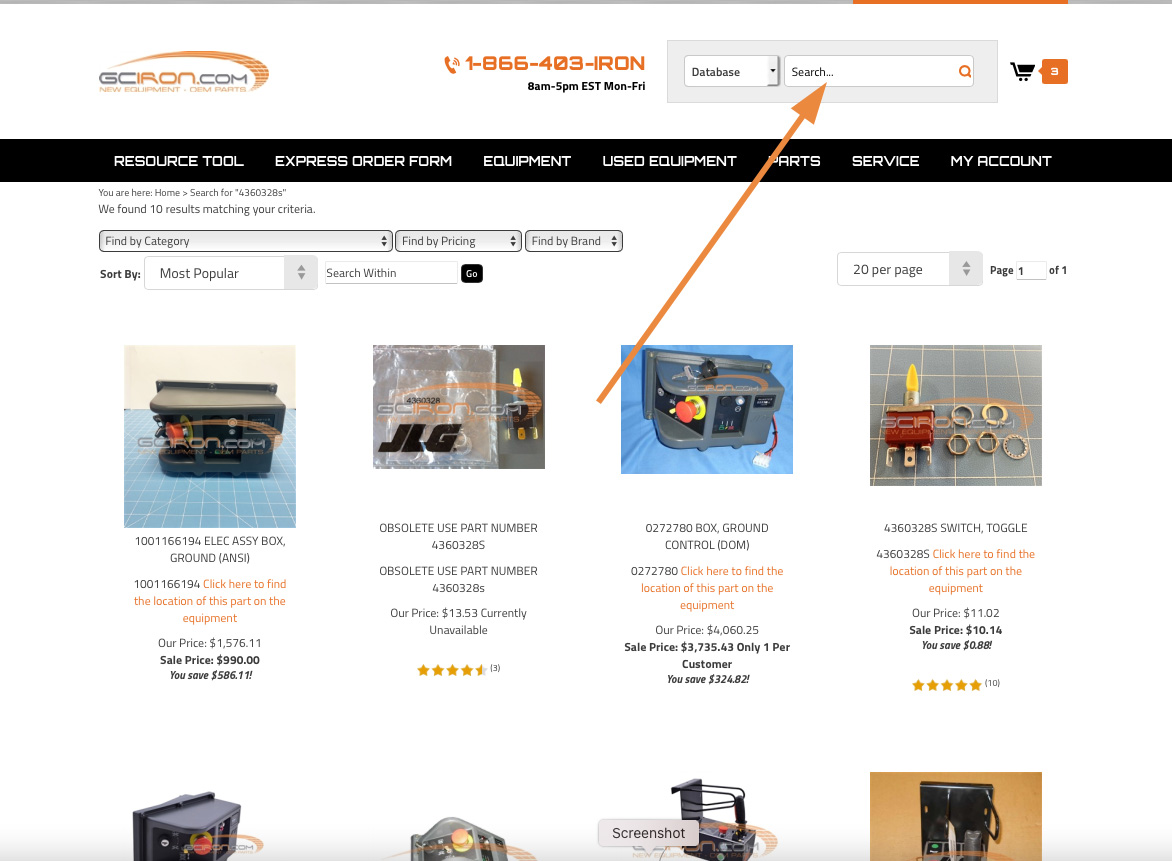
In this example, a customer has search for a toggle switch part number 4360328S. The product detail page provides shipping dimensions, Country of Origin, approximate weight, pictures and more.
4. Click the orange "Add to Cart" button.
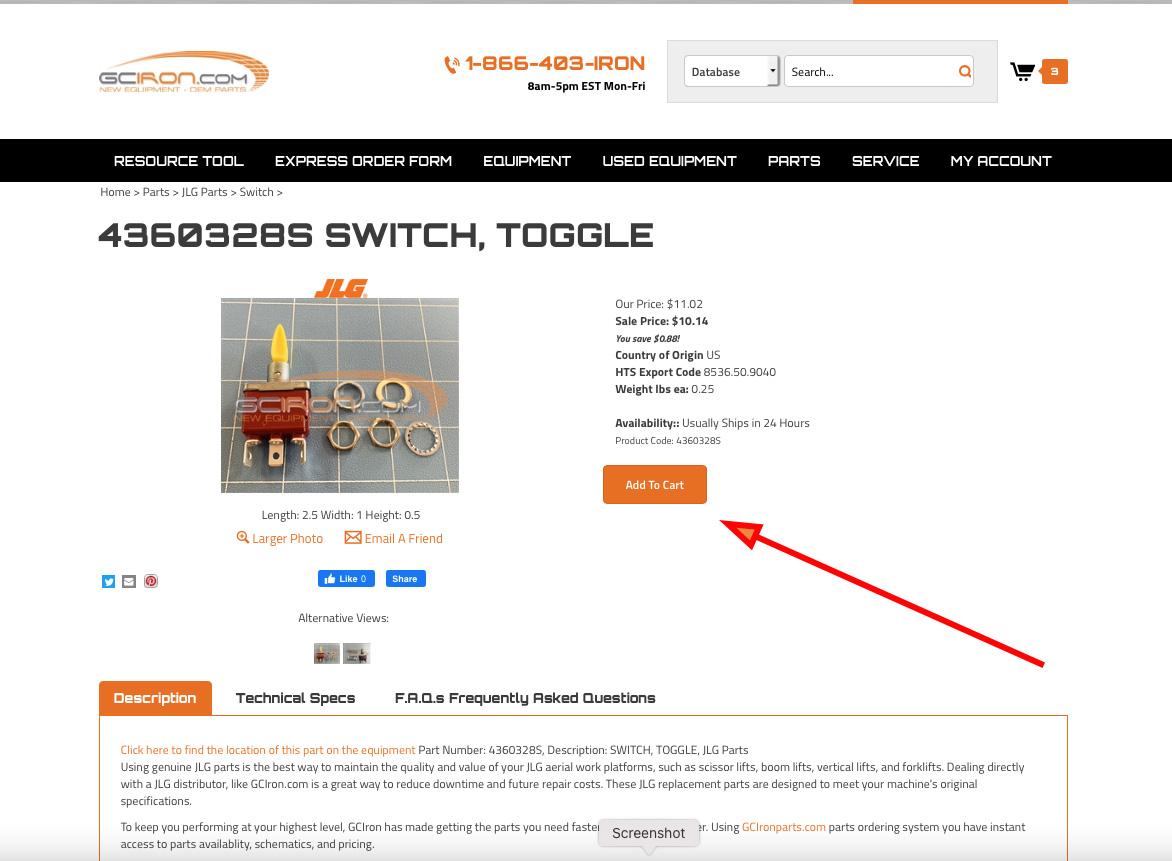
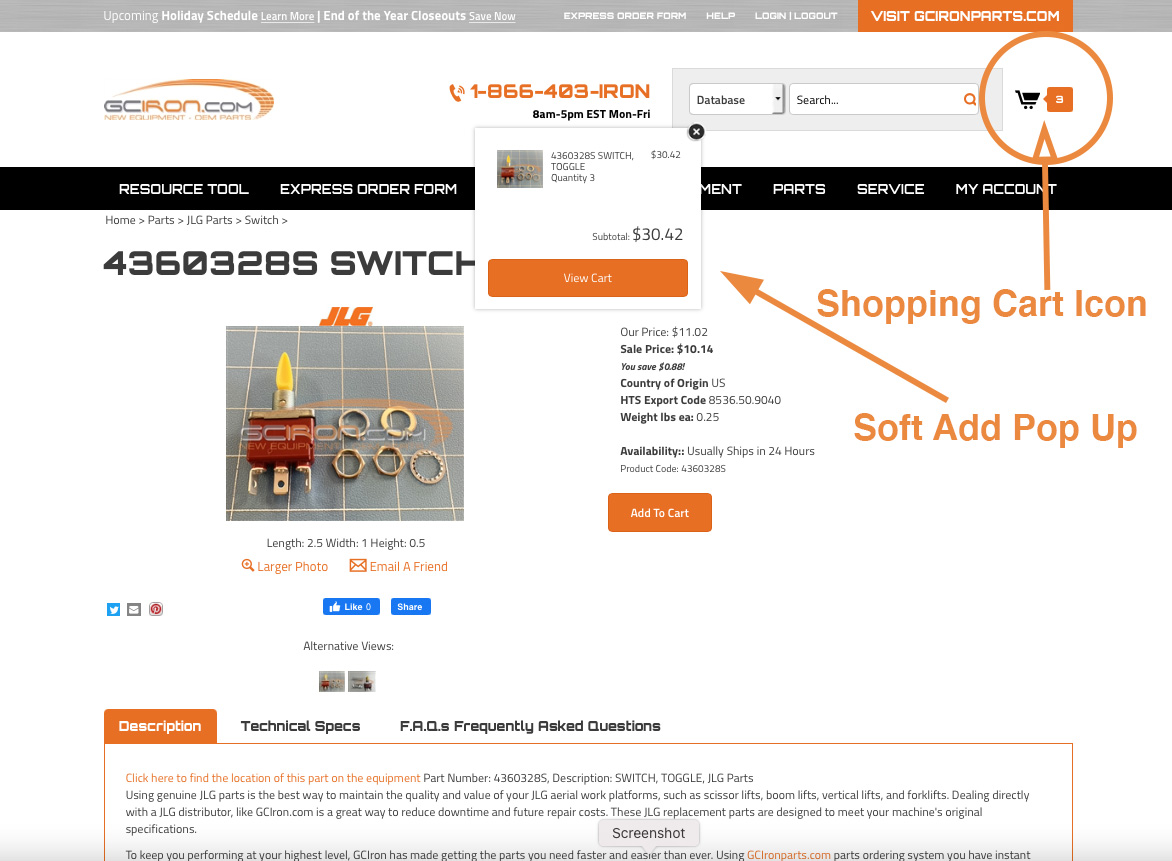
After, you hit press the "Add to Cart" button, you will find a popup that we call soft add. It lets you know that you are adding an item to your cart. (note: if pop up blocker is disabled, you will not see this feature).
5. You can now see that the shopping cart icon has items added to the cart
Awesome, you are ready to checkout!!
Comments
0 comments
Please sign in to leave a comment.